
How to Use Gemini on Windows: Google Launches New AI App With Alt + Space
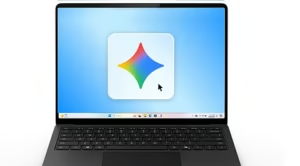
Google has officially launched its Gemini app for Windows, bringing its AI assistant directly to Windows 10 and Windows 11 PCs. The new desktop app lets users summon Gemini with Alt + Space, work alongside active applications, connect Google services and access AI-powered creation tools without relying entirely on a browser.
Quick Answer
How to Use Gemini on Windows: Download the Gemini desktop app, install it on a Windows 10 or newer PC, sign in with a Google Account, and press Alt + Space to summon Gemini. The app can help draft content, summarize information, brainstorm ideas, access Google apps such as Gmail and Drive, and create images and videos. )
What Is the New Gemini Windows App?
The Gemini Windows app is Google’s dedicated desktop version of Gemini. Unlike simply opening Gemini in a browser tab, the app is designed to stay available alongside your normal Windows workflow.
Google says the application is available globally for Windows 10 and Windows 11, with additional native desktop capabilities planned over time.
How Do You Install Gemini on Windows?
Installing Gemini on Windows is straightforward:
- Download the Gemini Windows app from Google’s official desktop page.
- Open
GeminiSetup.exe. - Follow the installation instructions.
- Launch Gemini from the Windows Start menu.
- Sign in with your Google Account.
For more free AI tools, visit now: https://freeaitools4u.com/
Google lists 8GB of RAM, at least 200MB of available storage, Windows 10 or later and an internet connection among the requirements.
How Does the Gemini Windows Shortcut Work?
Alt + Space is the key Gemini Windows shortcut. Pressing it opens Gemini over your current work, allowing you to ask questions, polish writing, fact-check documents or brainstorm ideas without switching applications.
Can Gemini Use Gmail and Google Drive on Windows?
Yes. Google says Gemini can pull information from connected Google apps such as Gmail and Google Drive, allowing users to summarize documents and create project summaries from information stored in those services. Feature availability can vary by account and subscription.
5 Key Developments
- Dedicated Windows app — Gemini is now available outside the browser.
- Alt + Space access — Users can summon Gemini instantly.
- Gmail and Drive integration — Connected Google apps can provide information for tasks.
- AI image and video creation — Gemini supports creative tools including Nano Banana.
- Windows 10 and 11 support — The app is available globally on compatible PCs.
Is Gemini on Windows Better Than Copilot?
Gemini’s biggest advantage is its integration with Google’s ecosystem. Users who rely heavily on Gmail, Drive and other Google services may find the new desktop workflow particularly useful. Microsoft Copilot, however, remains deeply integrated into Windows and Microsoft 365, so the better option depends on which ecosystem a user relies on most.
What Happens Next?
Google says more native desktop capabilities are coming to Gemini for Windows. That makes the current app important not only as a new AI shortcut, but as the foundation for Google’s broader desktop AI strategy.
Final Take
How to Use Gemini on Windows is now a practical question for millions of Windows users: install the app, sign in and use Alt + Space for instant AI access. With Google app integration and expanding desktop capabilities, Gemini is becoming a more direct competitor to Windows-native AI assistants.
Read More:- BlizzCon Schedule: Major 2026 Events Start as Blizzard Reveals Lineup
FAQs
1. Is Gemini available on Windows 11?
Yes. The Gemini desktop app is available on Windows 10 and later, including Windows 11.
2. What is the Gemini Windows shortcut?
The default shortcut is Alt + Space.
3. Can Gemini work with Gmail on Windows?
Yes. Gemini can use connected Google apps such as Gmail and Google Drive for supported tasks.
4. Why is Gemini Windows app not working?
Check that the app is installed correctly, you’re signed into a supported Google Account, your PC meets the requirements and you have a stable internet connection.
5. Is the Gemini Windows app free?
The desktop application and basic Gemini functionality are available, but some advanced Gemini features may require an eligible Google AI subscription.
Pingback: OpenAI IPO: Major 2026 Delay Pushes Sam Altman’s Public Debut to 2027