
How to Use Claude While You’re Away: AI Keeps Working After You Leave
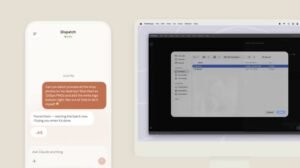
How to use Claude while away is becoming more useful as Claude’s cloud-based work sessions can continue after you close your laptop or leave the page. Instead of keeping your computer active for certain tasks, Claude can continue processing work remotely and let you return to the completed result later.
Quick Answer
Yes, Claude can continue working while you are away when the task is running in a cloud session. You can close your laptop and Claude can keep working. Scheduled tasks can also run remotely without your computer being awake. However, tasks that require access to your local computer, files or apps may require the Claude Desktop app to remain open.
Current Status: Claude Can Work in the Cloud
Claude’s cloud sessions run on remote infrastructure, allowing longer tasks to continue after you step away. The same session can be accessed from desktop, web or mobile, making it possible to check progress and review results later.
5 Key Developments
- Cloud sessions keep running: Claude can continue a task after you close your laptop.
- Scheduled tasks work remotely: Recurring tasks can run even when your computer is asleep or offline.
- Switch devices: You can check or continue the same cloud session from another device.
- Local access is different: Tasks requiring files or applications on your computer may need the desktop app connected.
- Long-running work is supported: Research, reports, file creation and other multi-step tasks can continue while you’re away.
For more free AI tools, visit now: https://freeaitools4u.com/
Can Claude Work While My Laptop Is Closed?
Yes. Claude cloud sessions can continue working after the laptop is closed. This is different from tasks that depend directly on your computer, such as accessing local files or controlling desktop applications.
How Do I Leave Claude Working in the Background?
Start a cloud-based task in Claude and clearly describe the work you want completed. Once the task is running remotely, you can leave the session and return later to review its progress or finished output.
Can Claude Complete Tasks While I’m Away?
Yes, Claude can complete many multi-step tasks while you are away, including research, summaries, reports and other cloud-based work. Scheduled tasks can also run automatically according to the schedule you set.
What Happens Next?
The practical use case is moving from simple AI conversations toward AI task execution. Users can assign defined jobs, step away, and return when the work is finished. For tasks involving sensitive information or consequential actions, reviewing Claude’s output remains important.
Final Take
Knowing how to use Claude while away can turn Claude into a more practical productivity assistant. Cloud sessions remove the need to keep your laptop open for many tasks, while scheduled workflows can continue independently. The key distinction is whether the task needs cloud resources or direct access to your computer.
Read More:- Stellar Blade: 5 Major Bayonetta Collaboration Updates Revealed
FAQs
1. Can Claude work when my laptop is closed?
Yes. Cloud-based Claude sessions can continue working after you close your laptop.
2. Does Claude need my computer to stay on?
Not for cloud sessions or scheduled tasks. Tasks requiring local files or computer access can require the desktop app and an active connection.
3. Can Claude run scheduled tasks while I’m offline?
Yes. Scheduled cloud tasks can run according to their configured schedule without your computer being online.
4. Can I check Claude’s work from my phone?
Yes. Cloud sessions can be accessed across supported desktop, web and mobile experiences.
5. What can Claude do while I’m away?
Depending on the task and available tools, Claude can perform research, create reports, process files available to the session and complete other multi-step cloud-based work.
Pingback: Anthropic New AI Model: 5 Major Details Behind the Possible Claude Upgrade