
How to Make YouTube Thumbnail With ChatGPT: Try This
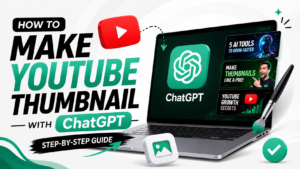
What if you could create a professional-looking YouTube thumbnail without opening Photoshop or hiring a designer?
If you’re wondering how to make YouTube thumbnail with ChatGPT, the process is now much simpler than it used to be. ChatGPT can generate images from natural-language prompts, create different visual concepts, and edit existing images based on your instructions.
But there is a difference between creating an image and creating a thumbnail that makes someone want to click.
A good YouTube thumbnail needs a clear idea, strong visual hierarchy, readable text, an appropriate composition and a reason for the viewer to be curious.
Here’s exactly how to approach it.
How to Make YouTube Thumbnail With ChatGPT
The easiest workflow is:
Video idea → Thumbnail concept → ChatGPT prompt → First image → Revisions → Final thumbnail → YouTube upload
ChatGPT Images allows you to create an image directly in a conversation and refine it through follow-up instructions. You can also upload an existing image and describe the changes you want.
Step 1: Start With Your YouTube Video
Before asking ChatGPT to create anything, identify the main promise of your video.
For example:
Video topic:
How to Make YouTube Thumbnails With ChatGPT
The thumbnail should communicate the idea visually rather than simply repeating the entire title.
A stronger concept could show a creator looking at an impressive AI-generated thumbnail with a short curiosity-driven phrase such as:
“CHATGPT DID THIS?”
The title explains the topic.
The thumbnail creates the visual hook.
YouTube recommends thinking about how the title and thumbnail work together and keeping titles accurate, concise and easy for viewers to understand.
Step 2: Create a Thumbnail Concept
Don’t immediately tell ChatGPT:
Make a viral YouTube thumbnail.
That’s too vague.
Instead, tell it:
- What the video is about
- Who the audience is
- What the main subject should be
- What emotion the image should communicate
- Where the subject should appear
- What text should appear
- What visual style you want
- What aspect ratio you need
OpenAI’s current image-generation guidance recommends clear, descriptive prompts and says a useful image prompt often only needs one to three sentences.
Step 3: Use This ChatGPT Thumbnail Prompt
Copy and paste this prompt into ChatGPT:
Create a professional YouTube thumbnail in 16:9 format for a video about how to make YouTube thumbnails with ChatGPT. Show a surprised content creator looking at an impressive AI-generated thumbnail on a laptop screen. Use a clean modern studio background, dramatic but realistic lighting, strong visual contrast, premium creator aesthetic and clear visual hierarchy. Add the short headline “CHATGPT DID THIS?” in large, bold, highly readable text. Keep the composition simple, attention-grabbing and suitable for a US YouTube audience.
The important part is the visual direction, not simply adding words such as “viral” or “clickbait.”
Step 4: Generate the First Version
Ask ChatGPT to generate the image.
Don’t worry if the first version isn’t perfect.
ChatGPT Images supports iterative editing, so you can continue the conversation and request specific changes.
For example:
Make the creator larger and move them toward the right side. Leave clean negative space on the left for the headline.
Then:
Increase the contrast between the subject and background while keeping the same composition.
Then:
Make the thumbnail text larger and easier to read on a mobile screen.
This approach gives you much more control than repeatedly asking for completely different thumbnails.
How to Make a YouTube Thumbnail Look Professional
A professional thumbnail usually has one obvious visual idea.
Think about it like a billboard.
A viewer should be able to understand the basic concept almost immediately.
YouTube recommends avoiding overly complicated designs and making text easy to read. It also suggests using composition techniques such as the rule of thirds.
Keep the Main Subject Obvious
Don’t fill the thumbnail with unnecessary objects.
If the video is about ChatGPT, the main visual could be:
- A creator
- A laptop
- An AI-generated image
- A recognizable ChatGPT-related interface or concept
Everything else should support the idea.
Keep Thumbnail Text Short
One of the easiest ways to make a thumbnail look amateur is adding too much text.
Instead of:
HOW TO MAKE A PROFESSIONAL YOUTUBE THUMBNAIL WITH CHATGPT
use:
CHATGPT DID THIS?
or:
AI MADE THIS?
or:
NO DESIGNER?
The video title can carry the search-focused wording.
The thumbnail can carry the curiosity.
Use Strong Visual Contrast
The main subject should stand out from the background.
You can ask ChatGPT for:
Strong subject-background separation with cinematic lighting and clean negative space.
This can make the thumbnail easier to understand at smaller sizes.
What Size Should a YouTube Thumbnail Be?
YouTube currently recommends custom thumbnails at 3840 × 2160 pixels, with a minimum width of 640 pixels. A 16:9 aspect ratio is recommended for standard YouTube video thumbnails. Supported image formats include JPG, GIF and PNG.
For a normal YouTube video, your basic target should therefore be:
16:9
3840 × 2160 pixels
You should also check the finished thumbnail at a smaller size because viewers can encounter it across different devices and surfaces.
Can ChatGPT Edit an Existing YouTube Thumbnail?
Yes.
This is one of the most useful parts of the workflow.
You can upload an existing thumbnail to ChatGPT and ask it to make specific changes. ChatGPT Images supports editing uploaded images and allows you to select a particular area for targeted edits.
For example:
Keep the person and overall concept, but remove the clutter from the background and create more empty space around the headline.
Or:
Keep the same thumbnail but make the subject more prominent and improve the lighting.
Or:
Replace the background with a clean modern AI-themed environment while preserving the person and overall composition.
This makes ChatGPT useful even if you already have a thumbnail that needs improvement.
A Better Prompt for Editing a Thumbnail
Try this:
Improve this YouTube thumbnail while keeping the main subject recognizable. Simplify the background, increase visual contrast, make the subject more prominent, create clean negative space for the headline and make the overall composition look professional and modern. Keep the 16:9 YouTube thumbnail format.
The more specific the requested change, the easier it is to control the result.
How to Make YouTube Thumbnail With ChatGPT Without Making It Look Generic
AI-generated thumbnails can sometimes look repetitive.
You can avoid that by giving ChatGPT a clear visual identity.
Instead of saying:
Make it futuristic.
Try:
Use a clean premium creator-studio aesthetic with realistic lighting, subtle depth, minimal background elements and a strong editorial composition.
You can also establish a consistent style across your channel.
For example:
Your channel style:
- Clean backgrounds
- Large subject
- Short headline
- Consistent typography
- Strong contrast
- Minimal visual clutter
- One recognizable visual accent
Consistency can help viewers recognize your content when it appears beside other videos.
Should You Put the Focus Keyword on the Thumbnail?
Not necessarily.
Your focus keyword is primarily an SEO target for your webpage.
For this article, the focus keyword is:
how to make YouTube thumbnail with ChatGPT
You don’t need to place that entire phrase on the thumbnail.
In fact, it would probably make the thumbnail too crowded.
Instead, use a short visual hook such as:
CHATGPT DID THIS?
Your webpage title and content can target the full search phrase while the thumbnail remains visually compelling.
How to Upload the ChatGPT Thumbnail to YouTube
After creating your image, you can upload it through YouTube Studio.
YouTube’s current process is:
- Open YouTube Studio.
- Select Content.
- Choose your video.
- Select the thumbnail option.
- Upload your custom thumbnail.
- Save the changes.
YouTube says custom thumbnails are available for eligible/verified accounts and that uploaded thumbnails must follow its Community Guidelines.
YouTube Thumbnail Rules You Should Know
Clickbait can be useful when it means creating curiosity.
But misleading viewers is different.
Your thumbnail should accurately represent the video.
YouTube specifically recommends accurate titles and thumbnails and warns against packaging that misrepresents the video’s content.
Avoid thumbnails containing prohibited or harmful material, including nudity, hate speech, violence or dangerous content. YouTube says violations can result in thumbnail removal and, in repeated cases, restrictions on custom-thumbnail privileges.
So the goal should be:
Curiosity without deception.
Does a Better Thumbnail Guarantee More Views?
No.
There is no thumbnail formula that guarantees viral views or millions of impressions.
A strong thumbnail can improve the chance that the right viewer notices your video, but the title, topic, audience, video quality and viewer satisfaction all matter.
YouTube recommends reviewing thumbnail and title performance through Analytics, including click-through rate on Home and Suggested for general audiences.
That means you should treat your thumbnail as something you can improve based on actual audience behavior.
ChatGPT vs. Traditional Thumbnail Design
For creators who don’t have advanced design software skills, ChatGPT can make the early stages much easier.
You can use it to:
- Brainstorm concepts
- Create visual directions
- Generate images
- Edit images
- Experiment with compositions
- Produce variations
- Refine an existing thumbnail
OpenAI says ChatGPT Images can generate original images from natural-language prompts and iterate on composition, size and visual direction.
Traditional design tools can still be useful for final polishing, especially when you want precise typography, branding or layout control.
The two approaches don’t have to compete.
A creator can use ChatGPT for the visual concept and generation, then use a design editor for final production.
Read More:- ChatGPT Can Create AI Images for Free—Here’s How
The Simple Workflow That Works
If you want the process in one place, use this:
1. Choose the video topic.
2. Identify the strongest visual hook.
3. Ask ChatGPT for a thumbnail concept.
4. Generate the first image.
5. Remove unnecessary elements.
6. Improve the composition.
7. Keep the thumbnail text short.
8. Check the design at a small size.
9. Export in a YouTube-friendly 16:9 format.
10. Upload it through YouTube Studio.
11. Review performance in YouTube Analytics.
This turns thumbnail creation from a one-shot task into an iterative process.
The Bottom Line
If you were wondering how to make YouTube thumbnail with ChatGPT, the answer is surprisingly straightforward.
You don’t need to begin with complicated design software.
Start with the video idea, describe the visual concept clearly, generate the first version in ChatGPT, make targeted edits and keep refining the composition until the thumbnail communicates one strong idea.
The biggest mistake is chasing “viral” design instead of clarity.
A thumbnail doesn’t need to scream at the viewer.
It needs to make the right viewer stop and think:
“Wait… how did they do that?”
That’s where curiosity becomes useful.
And when the video actually delivers on that promise, the thumbnail is doing its job.
FAQs
1. How to make YouTube thumbnail with ChatGPT?
To make YouTube thumbnail with ChatGPT, describe your video topic, subject, composition, style, text and 16:9 format in a clear image prompt. Then generate the image and refine it through follow-up instructions.
2. Can ChatGPT create YouTube thumbnails?
Yes. ChatGPT can generate new images and edit existing images using natural-language instructions.
3. Can ChatGPT edit an existing YouTube thumbnail?
Yes. You can upload an existing image and tell ChatGPT what you want changed.
4. What size should a YouTube thumbnail be?
YouTube recommends 3840 × 2160 pixels and a 16:9 aspect ratio for standard custom video thumbnails.
5. Can ChatGPT make a thumbnail in 16:9?
Yes. ChatGPT Images supports different aspect ratios, and you can specify the desired format in your prompt or use the aspect-ratio controls.
6. What should I write on a YouTube thumbnail?
Keep the text short and easy to read. Instead of repeating your full video title, use a concise phrase that creates curiosity while accurately representing the video.
7. Can ChatGPT make viral YouTube thumbnails?
ChatGPT can help create attention-grabbing thumbnail concepts, but no AI tool can guarantee viral views. YouTube recommends testing and reviewing thumbnail and title performance using Analytics.
8. Is using ChatGPT for website content safe for Google SEO?
Using generative AI is not automatically a problem. Google says AI can be useful for research and adding structure, but automatically generating many pages without adding value can violate its scaled content abuse policy. The focus should remain on accuracy, quality, relevance and original value.
9. Does the focus keyword need to appear everywhere?
No. The focus keyword should appear naturally in important locations such as the title, main heading, introduction, URL and relevant content. Avoid unnatural repetition. Google recommends using words people search for in prominent locations while prioritizing helpful content.