
How to Make a Website for Free With Claude AI: 7 Easy Steps

If you’re searching for how to make a website for free with Claude AI, you can now build a functional webpage without starting with traditional HTML, CSS, or JavaScript coding. Claude can generate websites through its Artifacts feature, allowing you to create, preview, edit, and publish a webpage from a natural-language conversation.
For beginners, this makes how to make a website for free with Claude AI a practical way to experiment with landing pages, portfolios, personal projects, and simple business websites.
1. Open Claude AI
First, open Claude and sign in to your account.
For Artifacts, Claude’s documentation says Code execution and file creation must be enabled under Settings → Capabilities. Artifacts are available across Claude’s Free, Pro, and Max plans, although usage limits vary by plan.
Once you’re ready, start a new conversation and describe the website you want to build.
2. Give Claude a Detailed Website Prompt
The quality of your prompt can make a huge difference.
Instead of saying:
Create a website for me.
Give Claude information about your audience, design, sections, colors, functionality, and mobile layout.
Try this prompt:
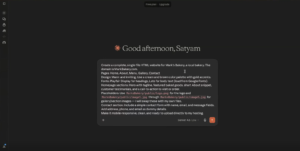
Create a modern, responsive one-page website for a technology blog.

Include:
- Navigation menu
- Hero section
- Featured articles
- Latest posts
- About section
- Newsletter signup
- Contact section
- Footer

Use a clean and professional design.
Make it mobile-friendly and accessible.
Use semantic HTML and SEO-friendly headings.
Create the website as a complete HTML Artifact that I can preview,
edit, and publish.
This approach is useful when learning how to make a website for free with Claude AI because you are giving the AI enough context to build something closer to your actual requirements.
3. Let Claude Create the Website
After you send the prompt, Claude can generate the website as an Artifact.
The Artifact appears alongside your conversation, allowing you to preview the result without manually creating multiple files.
Claude supports Artifacts for several types of content, including single-page HTML websites, interactive components, code, and other generated experiences.
If the first version isn’t perfect, don’t start over.
Tell Claude exactly what needs to change.
For example:
Make the hero section more premium.
Improve the spacing and typography.
Add subtle hover animations to the buttons.
Make the mobile layout cleaner.
Keep the design fast-loading and accessible.
4. Customize Your Website
One of the biggest advantages of Claude is that you can improve the website through follow-up instructions.
You can ask Claude to:
- Change colors
- Replace text
- Add sections
- Improve navigation
- Add animations
- Make the layout responsive
- Add buttons
- Improve accessibility
- Add images
- Create a pricing section
- Improve the call-to-action
You don’t necessarily need to understand the underlying code to request these changes.
For example:
Change the website to a premium black-and-white design.
Keep the typography modern and make the cards easier to scan.
Make sure everything remains responsive on mobile devices.
Claude can then modify the Artifact based on your instructions.
5. Test the Website Before Publishing
Before you publish, carefully test the page.
Check the website on desktop and mobile and look for:
- Broken buttons
- Incorrect links
- Layout problems
- Missing images
- Overlapping elements
- Difficult-to-read text
- Mobile navigation problems
- Form issues
If you discover a problem, describe it directly to Claude.
For example:
The navigation menu overlaps the hero section on mobile.
Fix the responsive layout and test the page at phone and desktop widths.
This iterative process is much more reliable than expecting the first generated version to be perfect.
6. Publish Your Claude Artifact
Once you’re satisfied with your website, you can publish the Artifact.
Claude’s current documentation says public Artifact publishing is available to Free, Pro, and Max users. After publishing, you can share the public link with other people.
This is one of the simplest answers to how to make a website for free with Claude AI, because you can create and publish a basic webpage without immediately paying for traditional web hosting.
Keep in mind that Claude’s usage limits still depend on your plan.
7. Turn Your Artifact Into a Traditional Website
A published Artifact and a traditional website aren’t exactly the same thing.
If you only need a simple webpage that you can share through a public link, an Artifact may be enough.
But if you want:
- Your own domain
- Independent hosting
- Greater SEO control
- Custom analytics
- More advanced functionality
- Full control over your website files
you’ll generally want to deploy the generated website through a hosting provider.
Claude Academy demonstrates a workflow for taking an HTML Artifact and deploying it using Netlify, which can be useful for beginners who want to move beyond a basic Artifact.
Can You Really Make a Website for Free With Claude AI?
Yes, you can make a basic website for free with Claude AI using Artifacts and public publishing.
However, it’s important to understand what “free” means.
Claude can let you create and publish an Artifact without requiring a paid Claude subscription. But a traditional website with a custom domain, independent hosting, email services, analytics, or premium third-party tools may involve additional costs.
So if your goal is a simple portfolio, landing page, experiment, or prototype, Claude’s Artifact system can be a convenient starting point.
If you’re building a serious business website, you’ll probably want dedicated hosting and a custom domain later.
Best Claude AI Prompt for Website Creation
If you want to get better results, use this reusable prompt:
Build a professional and responsive website for [WEBSITE PURPOSE].

Target audience: [TARGET AUDIENCE]

Website type: [BLOG / BUSINESS / PORTFOLIO / LANDING PAGE]

Design requirements:
- Modern and professional
- Mobile responsive
- Clean typography
- Strong visual hierarchy
- Accessible navigation
- Fast-loading layout
- Clear calls to action

Include:
- Header and navigation
- Hero section
- Main content
- Features or services
- Testimonials if relevant
- Call-to-action
- Contact section
- Footer

Use semantic HTML and SEO-friendly headings.
Make the layout responsive for mobile, tablet, and desktop.
Create the result as a complete HTML Artifact.

After creating it, check for broken elements,
poor spacing, accessibility issues, and mobile layout problems.
What Websites Can You Build With Claude AI?
Once you understand how to make a website for free with Claude AI, you can experiment with many simple website types.
Portfolio Website
Create a personal portfolio showcasing your skills, projects, experience, and contact information.
Landing Page
Build a landing page for a product, service, newsletter, campaign, or startup idea.
Business Website
Create a basic homepage with services, company information, testimonials, FAQs, and contact details.
Blog Layout
Create a blog-style interface with featured articles, categories, author information, and navigation.
Product Prototype
You can also use Claude to quickly create interactive prototypes before investing in full development.
Is Claude AI Good for Beginners?
For simple websites, yes.
The biggest advantage is the conversational workflow. Instead of learning every part of web development before starting, you can explain what you want and ask Claude to generate the initial structure.
You can then review the result and request specific improvements.
That makes the process particularly useful for people who want to learn how to make a website for free with Claude AI without immediately dealing with a traditional development environment.
However, AI-generated websites still need human review. Always check functionality, accessibility, security, content accuracy, links, and mobile responsiveness before putting a website into production.
Read More:- Borderlands 4: 5 Insane Features That Could Change Everything
Final Verdict
How to make a website for free with Claude AI is no longer a complicated process for basic projects.
You can describe your idea, generate an HTML Artifact, customize the design through conversation, test the page, and publish it publicly. For a simple webpage or prototype, that can be enough to get started without traditional coding skills.
For a professional website with your own domain and complete hosting control, use Claude to create the site and then move the generated code to dedicated hosting.
The smartest approach is to start small: build, test, improve, and then publish.
FAQs
1. How to make a website for free with Claude AI?
To learn how to make a website for free with Claude AI, create an HTML Artifact in Claude, describe your website with a detailed prompt, customize the result, test it, and publish the finished Artifact.
2. Can Claude AI create a website without coding?
Yes. Claude can generate single-page HTML websites as Artifacts based on natural-language instructions, so beginners don’t have to manually write every line of code.
3. Can I publish a Claude website for free?
Yes. Claude currently allows Free, Pro, and Max users to publish eligible Artifacts publicly.
4. Do I need Claude Pro to make a website?
No. Claude’s Free plan supports Artifacts and public Artifact publishing, although usage limits apply.
5. Can Claude create an HTML website?
Yes. Single-page HTML websites are one of the supported Artifact types.
6. Can I use a custom domain with a Claude Artifact?
A traditional custom domain generally requires moving the generated website to a hosting provider that supports your domain.
7. Can I embed a Claude Artifact on another website?
Yes. Claude provides an embed code option for published Artifacts, allowing eligible Artifacts to be embedded on supported websites.