
A New AI Trend Is Challenging the Cloud
For the past few years, artificial intelligence has mostly lived in the cloud.
Need help writing an email?
Open ChatGPT.
Need coding assistance?
Ask Claude.
Want Google’s latest AI features?
Use Gemini.
While these cloud-based AI assistants are incredibly powerful, they all have one thing in common—they depend on the internet, and many of their advanced features require a paid subscription.
Now, a different trend is gaining momentum.
Instead of sending every prompt to remote servers, people are running AI directly on their own computers.
Leading this movement is Google Gemma AI, an open-weight language model that can run locally using free tools like Ollama.
The biggest surprise?
You don’t need an expensive workstation.
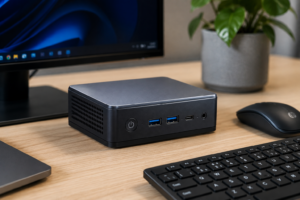
A modern mini PC costing around $300 is capable of running Google’s AI model for many everyday tasks.
What Is Google Gemma AI?
Google Gemma AI is a family of lightweight, open-weight language models developed by Google.
Unlike cloud AI assistants that process your requests on remote servers, Gemma can run directly on your computer.
This approach is known as Local AI.
When paired with software like Ollama, Gemma becomes a private AI assistant that works from your own device.
Instead of relying on an internet connection, your computer performs all AI processing locally.
That means greater privacy, lower long-term costs, and complete control over your data.
Why Local AI Is Suddenly Becoming Popular
Artificial intelligence is entering a new phase.
Rather than relying entirely on cloud services, many professionals now prefer AI models that run locally.
The reasons are easy to understand.
No Monthly Subscription
Many cloud AI platforms require recurring payments for premium features.
Local AI only requires the initial hardware and setup.
Better Privacy
Your prompts stay on your computer instead of being processed on external servers.
This makes local AI especially attractive for businesses, lawyers, researchers, and anyone working with confidential information.
Works Offline
Once installed, Google Gemma AI can perform many tasks without an internet connection.
Whether you’re traveling or working in areas with limited connectivity, your AI assistant remains available.
Unlimited Conversations
Unlike some cloud services that impose usage limits, local AI allows you to interact with the model as much as your hardware can handle.
The $300 Mini PC Test
One of the biggest misconceptions about local AI is that it requires expensive gaming hardware.
That is no longer true.
A compact Windows mini PC equipped with:
- AMD Ryzen 5 processor
- Integrated Radeon graphics
- 32GB RAM
- SSD storage
is capable of running Google’s Gemma AI surprisingly well for everyday workloads.
This demonstrates how accessible local AI has become for students, freelancers, developers, and small businesses.
Installing Google Gemma AI Is Easier Than You Think
Many people assume running AI locally requires advanced technical knowledge.
Today’s setup process is much simpler.
The basic workflow involves:
Step 1: Install Ollama
Ollama provides a simple way to download and run AI models locally.
Step 2: Download Google Gemma
Choose the Gemma model that best matches your computer’s available memory.
Step 3: Start Chatting
Within minutes, your local AI assistant is ready to answer questions, summarize documents, generate ideas, and assist with everyday work.
For most users, the installation process takes only a short time.
What Can Google Gemma AI Do?
For daily productivity, Gemma performs surprisingly well.
Common use cases include:
- Writing emails
- Brainstorming ideas
- Creating outlines
- Improving articles
- Summarizing documents
- Organizing notes
- Basic programming assistance
- Drafting reports
For users who primarily rely on AI for writing and productivity, these capabilities cover a large portion of everyday work.
Can Google Gemma Replace ChatGPT?
This is the question most people ask.
The answer depends on how you use AI.
Where ChatGPT Still Wins
Cloud-based AI remains stronger for:
- Deep research
- Live web browsing
- Complex reasoning
- Advanced coding
- Multi-step business workflows
- Real-time information
If your work depends on these features, ChatGPT continues to offer significant advantages.
Where Gemma Excels
Google Gemma AI shines in situations where privacy and offline access matter.
It is particularly useful for:
- Personal productivity
- Draft writing
- Local document analysis
- Brainstorming
- Offline note-taking
- Confidential business work
Rather than replacing ChatGPT entirely, Gemma complements it by offering a private alternative for everyday tasks.
Why Privacy Is Becoming a Major Advantage
Every prompt sent to a cloud AI platform is processed on remote infrastructure.
Although providers implement security measures, many users prefer keeping sensitive information on their own devices.
Running Gemma locally means:
- Business documents stay private.
- Personal files never leave your computer.
- Research remains confidential.
- Internet outages don’t interrupt your workflow.
For organizations handling sensitive information, this is one of local AI’s strongest advantages.
Performance: Is Local AI Fast Enough?
Performance depends on your computer.
On modern hardware, Google Gemma responds quickly enough for:
- Writing assistance
- Document editing
- Brainstorming sessions
- Meeting notes
- Everyday productivity
Cloud AI may still outperform local models on highly complex tasks, but for typical office work, the experience is smooth and practical.
Who Should Use Google Gemma AI?
Google Gemma AI is an excellent option for:
- Writers
- Bloggers
- Students
- Software developers
- Freelancers
- Researchers
- Small businesses
- Privacy-conscious users
If your daily work revolves around documents, ideas, coding, or productivity, running AI locally can reduce costs while improving privacy.
Pros and Cons
Pros
- Completely free to use
- Works offline
- Better privacy
- No monthly subscription
- Easy installation with Ollama
- Excellent for writing and productivity
- Runs on affordable hardware
Cons
- No live internet access
- Weaker reasoning than premium cloud models
- Performance depends on computer specifications
- Limited by available RAM and processing power
Frequently Asked Questions
Is Google Gemma AI free?
Yes. Google provides Gemma as an open-weight AI model that can be downloaded and run locally.
Can Google Gemma AI work without the internet?
Yes. After installation, Gemma can perform many AI tasks completely offline.
Can a $300 mini PC run AI?
Yes. Modern mini PCs with sufficient RAM can comfortably run lightweight local AI models for everyday productivity.
Is Google Gemma better than ChatGPT?
Not overall. ChatGPT remains stronger for advanced reasoning, live research, and complex workflows, while Gemma excels at private, offline productivity tasks.
What is Ollama?
Ollama is a free application that makes it easy to download, manage, and run local AI language models on your computer.
Final Thoughts
Google Gemma AI marks an important shift in the evolution of artificial intelligence.
For years, users depended almost entirely on cloud-based AI services.
Now, affordable hardware and efficient open-weight models are making local AI practical for everyday users.
A $300 mini PC may not replace every feature offered by ChatGPT, but it proves that powerful AI no longer requires expensive subscriptions or constant internet access.
The future of artificial intelligence is unlikely to belong exclusively to cloud platforms or local models.
Instead, users will choose the right tool for the task—cloud AI for advanced capabilities and local AI for speed, privacy, and complete control.
As this technology continues to mature, one thing is becoming increasingly clear:
The next AI revolution may happen on your own desktop.