
Gemini Omni Is Changing AI Video — Here’s What Google Just Unveiled
Google’s latest Gemini model is pushing AI video creation into a new phase, and the biggest change may not be the video generation itself.
Google has taken another major step in generative AI with Gemini Omni, a multimodal model designed to create and edit video from combinations of text, images, audio and existing video.
The technology first appeared at Google I/O 2026, where Google described Gemini Omni as a model that can “create anything from any input,” beginning with video. Since then, Google has expanded Omni into more of its creative ecosystem, including Google Vids.
For creators, marketers, businesses and everyday users in the U.S., that expansion could be more important than the original announcement.
What Is Gemini Omni?
Gemini Omni is Google’s latest multimodal generative AI model focused initially on video creation and editing.
Unlike traditional video generators that primarily turn a written prompt into a clip, Gemini Omni is designed to work across multiple types of input. Users can combine text, images and video references to create a new result, then continue editing it through natural-language instructions.
In practical terms, the process is closer to having a conversation with an AI video editor.
A creator can generate a scene, request a change, adjust the background, modify lighting or make another edit without necessarily starting the project from scratch.
That conversational workflow is one of Gemini Omni’s most important differences.
Why Gemini Omni Is Getting Attention
AI video has become increasingly competitive, but generating a visually impressive clip is only one part of the problem.
Consistency is harder.
A character may change appearance between scenes. A background can shift unexpectedly. Lighting can become inconsistent. Objects may behave strangely. Editing one part of a generated video can also mean regenerating much of the sequence.
Google says Gemini Omni is designed to improve this experience by combining Gemini’s reasoning capabilities with generative media technology and a stronger understanding of the physical world.
Google specifically highlights areas such as gravity, kinetic energy and fluid dynamics as part of Omni’s improved world understanding.
The goal is not simply to make AI video look realistic.
It is to make generated scenes behave more coherently.
Gemini Omni Can Work With More Than Text
One of the biggest ideas behind Gemini Omni is multimodal creation.
Instead of starting with a blank text box, users can provide different references.
That can include:
- Text instructions
- Images
- Existing video
- Audio or voice references
- Multiple visual references
Google says Omni can combine these inputs into a cohesive video output rather than treating each reference as an isolated instruction.
For example, a creator could provide an image as a visual reference and then describe how the scene should move.
That opens up a different workflow from conventional text-to-video generation.
The Bigger Update: Gemini Omni Comes to Google Vids
The Gemini Omni story did not stop with the original Gemini app rollout.
On July 16, 2026, Google announced Gemini Omni integration with Google Vids, bringing the model into a productivity-focused video creation environment. Google says users can generate higher-quality clips and make edits using natural-language instructions.
The update also introduced personal avatars.
Eligible users can create a digital avatar using a selfie and voice recording, allowing that avatar to appear in AI-generated video content. Google says the avatar system uses a secure verification process and provides account-level controls.
This could be particularly interesting for businesses.
Instead of recording the same announcement repeatedly, a company could potentially use an approved digital avatar for certain internal, educational or marketing videos.
What Can You Actually Do With Gemini Omni?
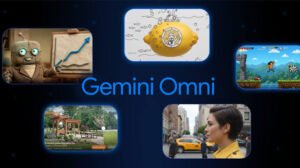
The current capabilities make Gemini Omni more than a basic text-to-video generator.
Depending on the product and plan, users can use Omni for tasks such as:
1. Generate Video From Prompts
Users can describe a scene and have Gemini Omni generate a video.
The system is designed to interpret the prompt using Gemini’s broader understanding of the world rather than simply matching keywords.
2. Turn Images Into Video
Images can be used as references when creating video.
This can be useful for marketers, storytellers and creators who already have visual assets but want to bring them to life.
3. Edit Existing Video
Gemini Omni can also work with existing footage.
Google highlights conversational editing, allowing users to describe changes instead of manually rebuilding every element of a project.
4. Make Step-by-Step Changes
Another important feature is iterative editing.
Instead of giving one massive prompt and hoping for the right result, users can make changes over multiple instructions.
That makes the workflow feel more like working with an editor.
5. Create Videos With Personal Avatars
Google Vids now supports personal avatars with Gemini Omni for eligible users.
The feature is designed to let users appear in generated videos without physically recording every scene.
Is Gemini Omni Replacing Veo?
This is where the terminology can get confusing.
Google’s current Gemini Omni experience describes Omni as the next-generation multimodal video creation and editing system, while Google’s Gemini video-generation page says Gemini Omni Flash replaces the previous Veo 3.1 model inside the Gemini app.
That does not mean every Google AI video product has suddenly disappeared.
Google’s AI video ecosystem includes Gemini, Google Flow, Google Vids, YouTube-related experiences and developer tools, with availability depending on the product, account and region.
So users should check the specific Google product they are using rather than assuming every feature is available everywhere.
Who Can Use Gemini Omni?
Availability depends on the Google product and subscription.
Google’s Gemini documentation says Gemini Omni is available to eligible users with Google AI plans, with feature availability varying by region and plan. The Gemini app’s release notes also state that the feature is rolling out to Google AI subscribers aged 18 and over.
Google Vids has separate availability requirements for consumer, business, enterprise and education users.
Personal avatars also have additional regional and language restrictions. At launch in Google Vids, Google said personal avatars were available in English for users 18 and older and were not available in the European Economic Area, Switzerland or the United Kingdom.
Because Google’s availability rules can change, users should verify access directly inside their Google account before assuming a feature is available.
Why Gemini Omni Matters for U.S. Creators and Businesses
The most interesting part of Gemini Omni may be what it does to the economics of video production.
Small businesses traditionally need cameras, editing software, actors, voice talent and considerable production time for professional video.
Generative AI can reduce some of those barriers.
A marketing team could prototype a campaign without shooting every concept.
A startup could create product explainers.
A creator could transform existing footage.
A teacher could develop visual lessons.
A social media manager could experiment with multiple creative concepts before committing to a full production.
That does not eliminate the need for human creativity.
Instead, it shifts more of the production process toward directing, reviewing and refining.
Gemini Omni vs. Traditional Video Editing
Traditional editing gives creators precise control, but it can also require technical expertise and significant time.
Gemini Omni approaches editing from another direction.
Instead of asking:
“Which tool do I use to change this?”
the user can increasingly ask:
“Change this part of the video.”
Google says Omni supports conversational, step-by-step editing, including changes such as backgrounds, lighting and effects.
That difference could make AI video accessible to people who have never used professional editing software.
There Is Still a Catch
Gemini Omni is impressive, but it should not be treated as a perfect replacement for professional production.
Generative video can still produce mistakes.
AI-generated scenes may contain visual inconsistencies, inaccurate details or unexpected results. Availability and usage limits also depend on Google’s products and subscription tiers.
And for commercial work, creators need to think about rights, permissions, privacy and disclosure.
Google has also emphasized transparency around AI-generated content. Google says videos created with Omni include an imperceptible SynthID digital watermark that can help identify AI-generated content through supported Google experiences.
For businesses, that makes responsible AI usage just as important as video quality.
The Real Significance of Gemini Omni
The biggest change may not be that AI can generate a 10-second video.
The bigger shift is that video creation is becoming conversational.
The user describes an idea.
Gemini creates a version.
The user asks for changes.
Gemini edits it.
The user adds another reference.
The system continues from the existing result.
That workflow moves AI video closer to an interactive creative partner rather than a one-shot generator.
And Google’s expansion of Omni into products such as Google Vids suggests the company wants that workflow to become part of everyday content creation, not just an experimental AI demo.
Read More:- Chub AI Just Hit a Major Safety Test
What Comes Next for Gemini Omni?
Google has already signaled that Omni’s ambitions extend beyond video.
At Google I/O 2026, the company said it plans to expand the Omni family beyond its initial video-focused capabilities and eventually support additional output modalities.
That makes Gemini Omni worth watching beyond its current feature set.
If Google can successfully connect reasoning, multimodal understanding, generation and conversational editing, the result could change how people approach creative software.
For now, the most important development is simpler:
AI video is becoming something users can direct through conversation.
And Gemini Omni is Google’s latest attempt to make that idea practical.
Frequently Asked Questions
1. What is Gemini Omni?
Gemini Omni is Google’s multimodal generative AI model designed initially for video creation and editing. It can work with combinations of text, images and video references and supports conversational editing.
2. Is Gemini Omni available in the U.S.?
Yes, Gemini Omni is available through eligible Google AI products and plans in supported markets, including the United States, although individual features can vary by plan and product.
3. Can Gemini Omni edit existing videos?
Yes. Google describes Omni as supporting video-to-video editing and conversational, step-by-step modifications.
4. Can Gemini Omni create videos from images?
Yes. Google says users can combine images with other inputs to create video, and its current Gemini Omni experience supports image references.
5. Can Gemini Omni create an AI avatar?
Yes. Google has introduced personal avatar functionality with Gemini Omni in Google Vids for eligible users.
6. Is Gemini Omni free?
Access depends on the Google product, plan and feature. Google currently lists Google AI subscription requirements for Gemini Omni in the Gemini app, while some Google products have separate eligibility rules.
7. Is Gemini Omni the same as Veo?
They are related to Google’s video-generation ecosystem, but the current Gemini experience identifies Gemini Omni Flash as replacing the previous Veo 3.1 model inside the Gemini app. Product availability and naming can differ across Google’s services.
Bottom Line
Gemini Omni is more than another AI video generator.
Google is building it around a broader idea: give users multiple types of input, let AI understand the scene, generate the video and then allow the user to refine the result through conversation.
Its expansion into Google Vids and personal avatars shows that Google is moving Omni beyond a headline-making model announcement and deeper into practical creative workflows.
The technology is still evolving, and access varies by product and region. But one thing is already clear: the traditional boundary between creating a video and simply describing one is getting much thinner.