
A2E AI Is Exploding — Turn Any Photo Into an AI Video in Minutes
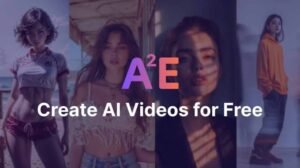
A photo used to be the end of the creative process.
Now it can be the beginning.
A2E AI is getting attention as creators look for faster ways to turn ordinary images into animated videos without spending hours inside traditional editing software.
And the most interesting part isn’t simply that A2E AI can generate video.
It’s that you can start with one image, describe the movement you want, and let AI transform the still frame into a dynamic video.
A2E’s current Image-to-Video tool supports image uploads and prompts describing actions, camera movement and effects. It also offers Standard and First-Last Frame generation modes.
So if you’ve ever looked at a photo and thought:
“This would look insane as a video…”
you can now test that idea without filming anything.
What Is A2E AI?
A2E AI is an AI creation platform built around image and video generation.
Its current platform includes tools for:
- Image-to-video
- Text-to-image
- Image editing
- AI avatars
- Talking videos
- Face swap
- Head swap
- Voice-related tools
- Multiple AI video models
A2E currently lists models and tools including Kling, Veo, Wan, Seedance, Sora and others on its platform.
That makes A2E different from a simple single-purpose AI video generator.
It’s more like a creative AI workspace where users can experiment with multiple generation workflows.
The A2E AI Feature Everyone Should Try First
If you’re completely new to A2E AI, start with:
Image to Video
Why?
Because you don’t need to invent an entire scene from scratch.
You already have the first frame.
You simply tell the AI what should happen next.
For example, upload a photo of a city street and write:
Cinematic camera slowly moves forward through the street, pedestrians naturally walking, subtle wind moving clothing, realistic lighting, shallow depth of field, smooth motion, cinematic atmosphere.
A2E recommends describing specific actions and camera movement because detailed prompts can produce more precise results.
How to Use A2E AI to Turn a Photo Into a Video
The process is surprisingly simple.
Step 1: Choose Your Image
Start with a clear, high-quality image.
A2E recommends using high-quality images for better image-to-video results.
Avoid:
- Extremely blurry photos
- Heavy compression
- Unclear subjects
- Images with strange cropping
A good starting image gives the AI more visual information.
Step 2: Upload the Image
Upload your image into A2E AI’s Image-to-Video tool.
The platform supports common image formats such as JPG and PNG.
Step 3: Describe the Motion
This is where most beginners make a mistake.
Don’t write:
Make it move.
That’s too vague.
Instead, describe:
Subject movement + camera movement + environment + atmosphere.
For example:
The woman slowly turns toward the camera and smiles naturally. Her hair moves gently in the wind. The camera slowly pushes forward with a cinematic shallow depth of field. Natural daylight, realistic movement, smooth camera motion.
That’s a much more useful instruction.
Step 4: Add a Negative Prompt
A2E’s tool supports negative prompts for unwanted characteristics.
Try:
blurry, distorted face, unnatural hands, warped body, flickering, shaky camera, low quality, deformed features, inconsistent identity
Negative prompts aren’t magic, but they can help communicate what you don’t want.
Step 5: Generate
Choose your settings and generate the clip.
A2E’s current Image-to-Video interface supports 5-second generation and offers different generation modes, including Standard and First-Last Frame.
If the first result isn’t good enough, don’t immediately blame the model.
Change the prompt.
10 A2E AI Prompts You Can Copy
1. Cinematic Portrait
The subject slowly turns toward the camera with a natural expression, subtle breathing and realistic eye movement. Gentle wind moves the hair. Slow cinematic camera push-in, shallow depth of field, natural skin texture, realistic lighting, smooth motion.
2. Old Photo Animation
Bring this vintage photograph to life with subtle natural facial expressions and gentle movement. Preserve the original identity and composition. Slow camera movement, realistic lighting, authentic period atmosphere, no exaggerated motion.
3. Product Advertisement
Slowly rotate the product while the camera makes a smooth cinematic orbit. Premium studio lighting, realistic reflections, clean background, subtle shadows, luxury commercial aesthetic, sharp product details.
4. Travel Video
Camera slowly moves forward through the scene as trees and environmental elements move naturally in the wind. Cinematic travel-film style, realistic lighting, smooth motion, atmospheric depth.
5. Fashion Video
The model walks naturally toward the camera while the clothing moves realistically with each step. Smooth tracking shot, premium fashion campaign lighting, realistic fabric movement, cinematic depth of field.
6. Horror Scene
Slowly move the camera deeper into the dark hallway. Flickering lights create subtle changes in illumination while shadows move naturally. Slow suspenseful camera movement, atmospheric fog, cinematic psychological horror mood.
7. Fantasy Scene
The character slowly looks toward the glowing landscape as magical particles drift through the air. Camera gently circles the character, cinematic lighting, atmospheric depth, detailed fantasy environment, smooth natural movement.
8. Social Media Reel
Fast but smooth cinematic camera movement with subtle subject motion, dynamic composition, visually striking opening moment, realistic lighting, modern social-media aesthetic, vertical-video composition.
9. Talking Portrait
The person naturally looks into the camera, blinks and makes subtle facial expressions while speaking. Preserve facial identity, realistic head movement, natural lighting, stable camera.
10. Viral Transformation
Begin with the original scene and smoothly transform the environment into a futuristic cinematic world. Maintain the main subject’s identity and position while the surroundings gradually change. Seamless transition, dramatic lighting, realistic motion.
The Secret to Better A2E AI Results
Here’s the biggest lesson:
Don’t describe only what you want to see.
Describe how it should move.
Compare:
Weak
A beautiful woman walking.
Better
A woman walks slowly toward the camera.
Strong
A woman walks naturally toward the camera while her hair and clothing move gently in the wind. The camera tracks backward smoothly at the same pace. Cinematic natural lighting, realistic body movement, shallow depth of field and stable facial identity.
The third prompt gives the model much more information.
A2E AI Isn’t Just an Image-to-Video Tool
This is where the platform becomes more interesting.
A2E’s current platform includes a broad collection of creative AI tools and models.
You can use it for workflows involving:
Text-to-Image
Describe an image and generate it with AI.
A2E’s current text-to-image tool supports reference images, multiple aspect ratios and resolutions up to 1080P for its A2E model, while another supported model offers higher-resolution generation.
AI Video
Generate video using different AI models and workflows.
AI Avatars
Create avatar-based video content.
Talking Videos
Turn characters or avatars into speaking video content.
Face and Head Swap
Create transformation-style visual content.
Image Editing
Modify and enhance AI-generated or existing images.
That makes A2E AI interesting for creators who don’t want to jump between multiple AI websites.
A2E AI vs. Using Five Different AI Tools
Imagine your workflow looks like this:
Image generator → Video generator → Avatar tool → Voice tool → Editor
That’s a lot of browser tabs.
A2E’s pitch is essentially:
Put more of those workflows in one place.
Its current platform lists multiple AI models and creative tools together.
That can be especially useful for creators producing content regularly.
Is A2E AI Free?
A2E currently offers a free plan with daily bonus credits.
Its pricing page lists:
- Free plan: $0
- 30 bonus credits per day
- Watermarked output
- 720p video
- Limited priority
- Pro and Ultra paid tiers with additional credits and features
The exact pricing and feature availability can change, so check the current pricing page before making a purchase.
This makes the free tier useful for experimenting before paying.
Can You Use A2E AI for YouTube Shorts?
Yes, AI-generated videos can be used as part of short-form content workflows.
For example:
Photo → A2E animation → voiceover → captions → final Short
The key is not to upload a completely random AI clip.
Build a story around it.
For example:
“This old photo was taken 50 years ago. Here’s what happened when AI brought it back to life…”
Then use the generated animation as the visual hook.
That’s much more compelling than:
“Look at this AI video.”
Can A2E AI Help Businesses?
Potentially.
A business could use image-to-video workflows for:
- Product advertisements
- Social media content
- Promotional clips
- Concept videos
- Visual campaigns
- Short-form ads
- Product presentations
A2E itself highlights use cases for creators and marketers, including turning product images into dynamic content.
For small businesses without a video production team, that’s an interesting use case.
The Biggest Mistake A2E AI Beginners Make
They expect one prompt to produce a perfect video.
That’s rarely how generative video works.
Instead:
Generate
↓
Identify the problem
↓
Change one part of the prompt
↓
Generate again
↓
Compare
This iterative approach usually makes more sense than completely rewriting everything after every attempt.
How to Make Your AI Videos Look More Professional
Use these five elements in your prompt:
1. Subject
Who or what is moving?
2. Action
What exactly is happening?
3. Camera
How should the camera move?
4. Lighting
What should the scene look like?
5. Style
What visual language should the video have?
For example:
Subject: young man in a black jacket
Action: slowly looks toward the camera
Camera: cinematic push-in
Lighting: warm sunset
Style: premium commercial
Combine those into one coherent prompt.
A2E AI Could Be More Than a Trend
The interesting part about the current A2E AI trend isn’t just the search spike you’re seeing.
It’s the underlying shift.
People want to create video without:
- Cameras
- Actors
- Expensive studios
- Complex editing software
- Large production teams
AI doesn’t eliminate the creative process.
But it can make the first version dramatically faster.
And that’s why tools like A2E AI are attracting attention.
What Should You Try First?
If you’re completely new to A2E AI, don’t try every tool.
Start with this workflow:
1. Pick one good photo.
2. Upload it to Image-to-Video.
3. Describe one simple movement.
4. Add camera movement.
5. Add a negative prompt.
6. Generate.
7. Improve the prompt based on the result.
Once you understand that workflow, experiment with other models and tools.
Final Verdict
A2E AI is interesting because it isn’t trying to be just another chatbot or single-purpose AI generator.
Its current platform combines image and video generation with tools such as image-to-video, text-to-image, avatars, face/head swaps and access to multiple AI video models.
For beginners, the easiest place to start is Image-to-Video.
Upload a clear photo.
Describe the movement.
Add camera direction.
Use a negative prompt.
Generate.
Then refine.
The technology isn’t perfect, and AI-generated video can still produce strange motion, inconsistent details or unwanted artifacts.
But the barrier to creating short AI videos is getting dramatically lower.
And if you’re seeing A2E AI suddenly explode in U.S. search interest, this is exactly the kind of tool worth understanding while the conversation is still fresh.
The real question isn’t whether AI can animate your photo anymore. It’s what you’ll create with it.
Read More:- You Have the Story. AI Can Build the Game — Here’s How.
A2E AI FAQs
1.What is A2E AI?
A2E AI is an AI creative platform offering tools for generating and editing images and videos, including image-to-video and text-to-image workflows.
2.Can A2E AI turn a photo into a video?
Yes. Its Image-to-Video tool lets users upload an image, describe desired motion and generate a video.
3.Is A2E AI free?
A2E currently offers a free plan with daily bonus credits, although free outputs have limitations such as watermarks and lower video resolution.
4.What prompts work best with A2E AI?
Specific prompts describing the subject, action, camera movement, lighting and atmosphere generally give the AI clearer direction.
5.Can A2E AI generate images?
Yes. Its platform includes text-to-image generation with reference-image and aspect-ratio options.
6.Can A2E AI create AI avatars?
Yes. The platform currently offers avatar and talking-video workflows.
7.Can A2E AI be used for social media?
It can be used to create short visual content for platforms such as YouTube Shorts and other social channels.
8.Does A2E AI support multiple AI models?
Yes. A2E’s current platform lists multiple video and image models, including Kling, Veo, Wan and others.