
What Is Parakeet AI and How Does It Actually Work in Live Interviews?
Job interviews have always tested more than knowledge. They test composure under pressure, the ability to organize thoughts quickly, and the skill of connecting your experience to the role in real time. In 2026, many candidates are turning to specialized tools that offer live support during these high-stakes conversations. One of the most discussed options is Parakeet AI.
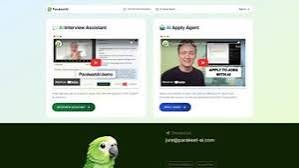
Parakeet AI is a real-time AI interview assistant. It listens to the interviewer’s questions through your device’s audio, transcribes them, and generates suggested answers that appear on a private overlay visible only to you. The tool is designed to work alongside common platforms such as Zoom, Google Meet, Microsoft Teams, Webex, HackerRank, and LeetCode-style coding environments.
This guide explains what the tool does, how it functions, practical ways to use it effectively, current pricing details, and important considerations for anyone evaluating it. The goal is clear, useful information based on how the product operates today.
How Parakeet AI Works
The core process is straightforward and happens in near real time:
- You create a session and upload your resume along with the job description or other relevant documents.
- The tool begins listening to system audio (it works with headphones).
- When it detects a question, it transcribes the speech using a fast speech-recognition model.
- An AI model (you can choose among available large language models such as GPT-5, GPT-4.1, or Claude 4.0 Sonnet) generates a suggested response tailored to your uploaded background.
- The answer appears on a discreet overlay within a few seconds so you can read and adapt it naturally.
After the call ends, the system can generate summary notes covering key points and action items. For coding interviews, it can capture screen-shared problems and provide structured breakdowns, including approach suggestions, complexity notes, and edge cases.
The product is available in the browser and as a desktop application for macOS and Windows. A mobile-optimized browser version also exists. Multilingual support covers dozens of languages, though responses typically match the language being transcribed in a given session.
Key Features That Matter for U.S. Job Seekers
Several capabilities stand out for people preparing for or participating in interviews:
- Resume and document integration — Answers draw from your actual experience rather than generic templates.
- Model selection — Choosing between different large language models lets you balance speed, style, and depth.
- Coding interview support — Useful for technical roles that involve live problem-solving on shared screens.
- Platform compatibility — Works across the major video and coding tools used by U.S. employers.
- Post-interview notes — Automatic summaries help with follow-up emails and self-review.
- Privacy-focused design claims — The interface aims to remain discreet during screen sharing, though independent reviews note that process visibility in system monitors can still occur in some cases.
These features make the tool relevant for behavioral interviews, technical discussions, and mixed-format screening calls common in the United States.
How to Use Parakeet AI: Practical Step-by-Step Guide
Here is a clear workflow that many users follow:
- Visit the official site and create an account. A short free trial session (typically around 10 minutes) is usually available without a credit card.
- Upload your current resume and any supporting materials (portfolio highlights, project descriptions, or the specific job posting).
- Choose your preferred language and AI model for the session.
- Download the desktop app if you prefer it over the browser version, and grant the necessary audio and accessibility permissions.
- Start the session before your interview begins. Allow the tool to auto-detect the meeting or activate it manually.
- During the conversation, glance at the overlay for suggested phrasing, then deliver the answer in your own words and natural tone.
- Use keyboard shortcuts (available for common actions) to keep interaction minimal.
- After the call, review the generated notes while the details are still fresh.
Useful tips for better results:
- Practice with the free trial so the interface feels familiar before a real interview.
- Keep extra context concise but specific—mention the company name, role level, or key technologies.
- Speak clearly and pause briefly after questions so transcription has clean input.
- Treat the suggestions as starting points. Interviewers notice when answers sound overly polished or mismatched to your speaking style.
- For coding rounds, prepare to explain the logic yourself even if the tool surfaces an approach.
- Test screen-sharing behavior in advance on the exact platform you will use.
These steps turn the tool from a passive helper into a practical preparation and support aid.
Pricing Overview
Parakeet AI uses a flexible model that includes credits and subscription options. Credit packs allow pay-per-use sessions (one credit generally covers roughly one hour). Credits typically do not expire, which suits candidates who interview occasionally. Subscription plans provide unlimited access for more active job searches, with monthly and annual choices available. A limited free trial lets users test core functionality.
Exact package prices and promotions can change, so check the official pricing page for the most current figures before purchasing. A money-back window is often listed for eligible purchases.
Important Considerations and Realistic Expectations
Independent reviews highlight both strengths and limitations. The transcription speed and model choice receive positive feedback for many users. At the same time, reliability can vary depending on audio quality, accents, or platform-specific behaviors. Privacy claims of complete undetectability should be evaluated carefully—some system processes remain visible in activity monitors, and full-screen sharing or certain proctoring tools can introduce risks.
Ethically, using live answer generation during an interview raises questions about authenticity and employer policies. Many professionals find the greatest value in practice mode or as a confidence-building reference rather than a script to read word-for-word. Always review the terms of any interview process you enter and consider the long-term impact on your professional reputation.
Who Benefits Most From This Kind of Tool?
Parakeet AI tends to help candidates who:
- Face frequent or high-pressure interviews and want structured support
- Are non-native English speakers seeking clearer phrasing
- Prepare for technical roles involving live coding
- Prefer pay-as-you-go flexibility over long-term subscriptions
It is less ideal for roles with strict proctoring, regulated industries that prohibit external tools, or situations where the candidate prefers fully unaided performance.
Read More:- Meshy AI: Can You Really Create 3D Models in Minutes With AI?
Final Thoughts
Parakeet AI represents one approach to reducing the cognitive load of live interviews by combining fast transcription with personalized AI-generated suggestions. Understanding exactly how it works, practicing the workflow, and setting realistic expectations around privacy and authenticity allow users to evaluate it effectively.
Whether you ultimately use the tool or simply study its capabilities, the underlying skills it supports—clear storytelling, relevant examples, and calm delivery—remain the foundation of successful interviews. Focus on those fundamentals first, then decide if real-time assistance adds meaningful value for your specific situation.
For the latest features, pricing, and terms, always refer directly to the official Parakeet AI website.
Frequently Asked Questions
1.What is Parakeet AI?
Parakeet AI is a real-time AI interview assistant that transcribes questions during live video or coding interviews and generates suggested answers based on your resume and the conversation context.
2.Is Parakeet AI free?
A limited free trial (usually about 10 minutes) is available. Full use requires purchasing credits or a subscription.
3.How accurate is the transcription?
It uses a modern speech-recognition engine that performs well under clear audio conditions. Results can vary with heavy accents, background noise, or rapid speech.
4.Does it work for coding interviews?
Yes. It supports listening for coding questions and can analyze screen-shared problems to offer structured guidance.
5.Can interviewers detect Parakeet AI?
The product is designed to stay discreet, but independent testing notes that the process name may appear in system monitors, and certain screen-sharing or proctoring setups can reveal activity. Users should verify behavior on their specific setup.
6.Which platforms does it support?
It works with Zoom, Google Meet, Microsoft Teams, Webex, HackerRank, LeetCode-style environments, and several others.
7.Can I use it on Mac and Windows?
Yes. Both browser and dedicated desktop applications are available.
8.Does it support multiple languages?
Yes, dozens of languages are supported, with responses generally matching the listening language of the session.
9.What happens after the interview?
The tool can generate automatic notes summarizing key points and action items.
10.Is it safe to use in professional interviews?
Technically the tool functions as described, but candidates should consider employer policies, authenticity expectations, and potential detection risks before relying on live assistance.