
Chalkie AI: The Teacher Tool You May Be Missing
If lesson planning is eating up hours of a teacher’s week, Chalkie AI is an AI education tool worth watching.
Unlike general-purpose AI chatbots that require teachers to build prompts from scratch, Chalkie is designed specifically around classroom planning. Teachers can enter a topic, provide their own material, upload a file, or even use a website as a starting point, then generate lessons and classroom activities around it.
And there is a reason the platform is getting attention: Chalkie says it has helped more than 1 million teachers across 100+ countries and supports 40 languages.
But is Chalkie AI actually useful for teachers in the United States, or is it simply another AI lesson generator?
Here’s what you need to know.
What Is Chalkie AI?
Chalkie AI is an AI-powered teaching and lesson-planning platform built to help educators create classroom materials faster.
Its main purpose is straightforward: take the time-consuming parts of lesson preparation and use AI to speed them up without forcing teachers to start from a blank page.
Teachers can create:
- Classroom-ready lessons
- Lesson series and units
- Activity sheets
- Worksheets
- Class activities
- Rubrics
- Differentiated learning materials
- Curriculum-aligned resources
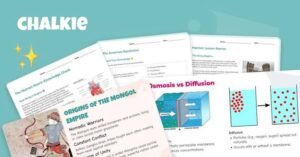
Chalkie also allows teachers to edit generated materials rather than simply accepting the first AI output. Its built-in editor can be used to add slides, change content, differentiate material for learners, and adjust the style of a lesson.
That distinction matters.
For educators, AI is most useful when it reduces repetitive work while leaving the teacher in control.
Why Is Chalkie AI Getting Attention?
The biggest selling point is speed.
Chalkie’s school information says teachers can create complete lessons in seconds and entire units in minutes. The company also reports that teachers save 7+ hours per week on average, although individual results will obviously vary by workload and how the platform is used.
For a teacher who spends Sunday night preparing slides, worksheets and activities for the coming week, that can be a meaningful difference.
Instead of creating every resource separately, a teacher can start with a topic and build a connected set of classroom materials.
That makes Chalkie AI less about generating one piece of text and more about creating a teaching workflow.
How Does Chalkie AI Work?
The basic process is designed to be simple.
A teacher starts by choosing a topic and providing information about the lesson they want to create. Chalkie can also work from existing lesson plans, uploaded files or website URLs.
The platform then generates teaching material that can be edited and customized.
For example, a teacher covering the American Revolution could create a lesson around the topic and then adapt the material for a particular grade level.
The teacher can review the generated content, make changes, add slides and adjust the presentation before using it in class.
That human review is important because AI-generated educational material should still be checked for accuracy, age appropriateness and alignment with the teacher’s actual learning objectives.
Chalkie AI for U.S. Teachers
This is where Chalkie becomes particularly interesting for the American education market.
The U.S. version of Chalkie says teachers can align lessons with Common Core or specific state standards. The platform also highlights standards such as NGSS for science and C3 for social studies.
That can make a major difference compared with a generic AI chatbot.
A general AI tool might generate a lesson about a subject, but a teacher still has to determine whether the material fits the required curriculum.
Chalkie’s curriculum-alignment features are designed to make that process more structured.
Teachers can therefore use AI not simply to generate content, but to build material around the standards they are expected to teach.
What Can Chalkie AI Create?
Chalkie is broader than a basic AI lesson-plan generator.
1. AI Lesson Plans
Teachers can generate structured lessons based on a topic, grade level and specific requirements.
The goal is to turn an initial idea into a classroom-ready resource without starting completely from scratch.
2. Lesson Series
Planning one lesson is one thing.
Planning an entire unit is another.
Chalkie can create ordered lesson series covering more complex topics, including recaps and quizzes.
That could be particularly useful when teachers need continuity across several classes.
3. Worksheets and Activity Sheets
Teachers can also generate activities and worksheets to accompany lessons.
These resources can then be edited, shared, exported or printed depending on the teacher’s workflow.
4. Differentiated Materials
Not every student learns in the same way.
Chalkie includes tools designed to help teachers adapt content for different learners, including scaffolded and stretch options. Its school offering also highlights resources designed for students with different learning needs.
5. Presentation Materials
Generated lessons don’t have to remain inside Chalkie.
The platform says teachers can present within Chalkie or export lessons to PowerPoint, Google Slides and PDF.
That makes the tool easier to fit into existing school technology rather than forcing teachers to completely change their workflow.
Is Chalkie AI Free?
Chalkie currently promotes the ability to try the platform for free, but teachers should check the current official pricing and plan details before assuming that every feature is permanently available at no cost.
This is an important distinction because AI education platforms frequently change their plans, usage limits and feature availability.
For schools considering wider adoption, Chalkie also offers a school-focused product rather than limiting the platform to individual teachers.
Is Chalkie AI Safe for Schools?
Privacy is one of the biggest questions whenever AI enters a classroom.
Chalkie’s school materials state that the platform does not require, store or process personally identifiable student information and says its school offering is FERPA and COPPA compliant.
Schools should still review the platform’s current privacy documentation, terms and internal data-handling requirements before adoption.
Teachers should also avoid putting sensitive student information into an AI system unless their school or district has explicitly approved that workflow.
Chalkie AI vs. ChatGPT: What’s the Difference?
The two tools serve different purposes.
ChatGPT is a broad AI assistant that can help with writing, brainstorming, research, explanations and countless other tasks.
Chalkie AI, on the other hand, is purpose-built around education and lesson creation.
That specialization can be useful for teachers who don’t want to spend time constructing detailed prompts for every classroom resource.
With Chalkie, the workflow is already centered on lessons, activities, curriculum alignment and classroom materials.
The choice therefore depends on the job.
If you need a general-purpose AI assistant, a broad chatbot may be more flexible.
If the main problem is lesson preparation, Chalkie’s specialized workflow may be more convenient.
Who Should Use Chalkie AI?
Chalkie AI could be particularly useful for:
- Elementary school teachers
- Middle school teachers
- High school educators
- Special education teachers
- Homeschool educators
- Substitute teachers
- Teachers covering unfamiliar subjects
- Departments creating consistent resources
- Schools looking to reduce teacher workload
The platform says it supports educators across different subjects and grade levels, while its U.S. offering includes standards-alignment capabilities.
What Are the Biggest Benefits of Chalkie AI?
The strongest advantages are relatively clear.
Speed: Teachers can move from an idea to a structured lesson much faster.
Curriculum alignment: U.S. educators can work with standards such as Common Core, NGSS and C3.
Customization: Generated material can be edited rather than treated as a finished answer.
Multiple formats: Lessons can be exported to PowerPoint, Google Slides and PDF.
Lesson planning at scale: Teachers can create individual lessons or larger lesson series.
Differentiation: Resources can be adapted for different student needs.
These features make Chalkie more interesting than an AI tool that simply generates paragraphs of text.
What Are the Limitations?
No AI lesson-planning platform should replace a teacher’s judgment.
AI can produce incorrect information, unsuitable examples or material that doesn’t perfectly match a classroom’s needs.
Teachers should review generated lessons before presenting them to students, particularly when the material involves factual claims, sensitive subjects or grade-specific requirements.
There is also a difference between generating a lesson and teaching it effectively.
A strong classroom resource still needs the teacher’s knowledge of their students, classroom environment and learning objectives.
In other words, Chalkie AI can reduce preparation time, but it doesn’t remove the need for professional judgment.
Read More:- Heated Rivalry Cast: Is Lucy Davis in the Show?
Final Verdict: Is Chalkie AI Worth Trying?
Chalkie AI is one of the more focused AI tools for teachers to watch in 2026.
Its appeal isn’t simply that it uses artificial intelligence.
The bigger idea is that it combines AI generation with lesson planning, curriculum alignment, activities, worksheets, editing and classroom presentation tools in one workflow.
For U.S. teachers, the ability to work with state standards, Common Core, NGSS and C3 makes the platform particularly relevant.
It won’t magically create the perfect lesson every time. Teachers still need to review, edit and personalize what AI produces.
But if lesson preparation is consuming hours that could be spent teaching, grading or working directly with students, Chalkie AI may be worth putting on the shortlist.
And that may be the real story behind the platform: AI isn’t replacing the teacher. It’s trying to give the teacher some of their time back.
Frequently Asked Questions
1. What is Chalkie AI?
Chalkie AI is an AI-powered education platform designed to help teachers create lessons, lesson series, worksheets, activities and other classroom materials.
2. Is Chalkie AI for U.S. teachers?
Yes. Chalkie’s U.S. offering supports curriculum alignment with Common Core and specific state standards, as well as frameworks including NGSS and C3.
3. Can Chalkie AI create lesson plans?
Yes. Chalkie can generate lessons based on a topic and teacher requirements and can also build larger lesson series.
4. Can Chalkie AI create worksheets?
Yes. Chalkie offers activity-sheet and worksheet creation features designed to complement classroom lessons.
5. Can Chalkie AI export presentations?
Yes. Chalkie says lessons can be exported to PowerPoint, Google Slides and PDF.
6. Is Chalkie AI safe for schools?
Chalkie’s school materials state that the platform does not require, store or process personally identifiable student information and highlight FERPA and COPPA compliance. Schools should independently review current privacy and security documentation before adoption.
7. Does Chalkie AI replace teachers?
No. It is designed as a planning and content-generation assistant. Teachers remain responsible for reviewing, adapting and delivering educational material.
8. Can Chalkie AI save teachers time?
Chalkie says teachers save 7+ hours per week on average, although actual time savings will depend on how frequently and extensively an educator uses the platform.
9. Is Chalkie AI better than a general AI chatbot?
It depends on the task. General AI chatbots are more flexible, while Chalkie is specifically designed around education workflows such as lesson planning, curriculum alignment, worksheets and activities.
10. Where can teachers try Chalkie AI?
Teachers can explore Chalkie’s official platform and its current features directly on the company’s website.
Editorial note: This article is based on Chalkie’s currently published product information and should be updated when the platform changes its features, pricing, curriculum support or privacy terms.