
Google’s Gemini AI Is Coming to K-12 Classrooms on August 10: What Every Parent Should Know
Artificial intelligence is becoming a bigger part of everyday learning, and one of the most significant education updates of the year is arriving just before students head back to school.
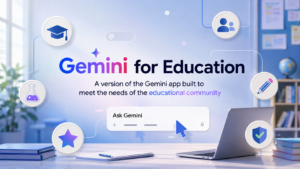
Beginning August 10, 2026, Google is expanding Gemini AI study tools within Google Classroom to eligible K-12 students through Google Workspace for Education. For many schools already using Google Classroom, this means students could soon have AI-powered study assistance built directly into the platform they already use for homework, assignments, and class materials.
For parents, this isn’t about replacing teachers or homework. It’s about understanding how these new tools work, what safeguards are in place, and how schools decide whether students can access them.
What’s Changing on August 10?
Google is expanding Gemini-powered learning features inside Google Classroom to eligible K-12 students. Previously, many of these study tools were available only to older students or educators in supported environments.
With this rollout, students whose schools have enabled Gemini can access AI-powered study features directly within Classroom on the web beginning August 10, with mobile availability following afterward.
Instead of searching across the internet for study help, students can use classroom materials already shared by their teachers to create personalized learning resources.
What Students Can Do with Gemini AI
The new experience focuses on helping students study—not simply giving answers.
Students may be able to:
- Generate personalized study guides
- Create digital flashcards
- Build practice quizzes
- Review classroom notes
- Summarize lesson materials
- Organize key concepts before exams
- Receive guided learning support for assignments
Because these resources are based on classroom materials provided by teachers, they can be more relevant than generic AI responses found elsewhere online.
How Gemini AI Supports Learning
Instead of replacing traditional studying, Gemini is designed to help students prepare more efficiently.
For example, a student preparing for a history test could turn classroom slides into flashcards.
A science assignment could become a practice quiz.
Long reading materials could be summarized into easier review notes before an exam.
These features are intended to support learning while encouraging students to continue working through teacher-provided materials.
Who Controls Whether Students Can Use Gemini?
One of the biggest questions parents have is simple:
Can I turn it on or off myself?
In most cases, no.
Access to Gemini AI is managed by the school’s Google Workspace administrator rather than individual parents or students.
Schools and districts can decide:
- Whether Gemini is available
- Which students receive access
- Whether different settings apply to younger students and older students
- How Gemini fits within district technology policies
Because every district may configure these settings differently, parents should check with their child’s school if they have questions.
Read More:- MagicSchool AI: 11 Powerful Features Every Teacher Must Know
What About Student Privacy?
Privacy is understandably one of the biggest concerns whenever AI enters the classroom.
According to Google’s published information for Google Workspace for Education:
- Student conversations in the education version of Gemini are not used to train Google’s AI models.
- Human reviewers do not read student prompts submitted through the education service.
- The service operates under Google Workspace for Education privacy commitments.
- Schools remain responsible for managing account access and policies.
Even with these protections, Google recommends that students avoid sharing unnecessary personal or sensitive information while using AI tools.
What Parents Should Ask Their School
Every school district may implement AI differently.
Consider asking these questions before the school year begins:
- Has Gemini AI been enabled for students?
- Which grade levels will receive access?
- How are teachers expected to use AI during classroom instruction?
- Will students receive guidance on responsible AI use?
- Are there district policies explaining acceptable AI use?
- How can families learn more about the school’s AI approach?
Having these conversations early can help parents understand how AI fits into their child’s education.
What Parents Can Do Today
You don’t need to become an AI expert overnight.
Instead, take a few practical steps:
Talk with your child
Explain that AI can be a helpful study assistant, but it shouldn’t replace learning or independent thinking.
Encourage fact-checking
Students should verify important information using textbooks, teachers, and trusted educational resources.
Protect personal information
Remind children never to enter passwords, financial information, medical details, or other sensitive personal data into AI tools.
Understand your school’s policy
Many districts publish technology and AI guidelines on their websites or through parent communications.
Stay involved
Ask your child how they’re using AI during homework and encourage responsible habits from the beginning.
Editor’s Note
Artificial intelligence has the potential to make studying more interactive and accessible, but it works best as a learning companion—not a replacement for teachers, classroom instruction, or critical thinking. Parents, educators, and students all play an important role in using these tools responsibly.
The Bottom Line
Gemini AI’s arrival in Google Classroom marks another step in how technology is being integrated into education. For many students, it could become a convenient way to review lessons, prepare for exams, and organize schoolwork.
At the same time, responsible use remains essential. Schools determine how these tools are deployed, teachers provide the educational context, and parents can help children develop healthy AI habits.
Understanding how Gemini AI works today will make it easier to support students as classrooms continue to evolve.
Frequently Asked Questions
1. Is Gemini AI available in every school?
No. Availability depends on whether a school or district has enabled the feature through Google Workspace for Education.
2. Can parents disable Gemini AI for only their child?
Generally, access is managed by school administrators rather than individual parent settings. Parents should contact their child’s school if they have questions about available options.
3. Does Google use student conversations to train Gemini AI?
Google states that conversations within the education version of Gemini are not used to train its AI models.
4. Can Gemini AI complete homework for students?
Gemini is designed to support learning by creating study materials and providing guidance. Students should still complete assignments independently and verify AI-generated information.
5. Is Gemini AI replacing teachers?
No. Gemini AI is intended to assist learning and productivity. Teachers remain responsible for instruction, assessment, and classroom guidance.