
ChatGPT “Something Went Wrong” Error: 9 Fixes That Work
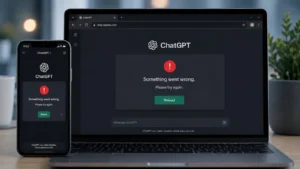
Seeing ChatGPT “Something Went Wrong” can be frustrating, especially when a prompt suddenly fails or ChatGPT stops responding. OpenAI says the message can result from a temporary server problem or issues with your browser, network configuration, extensions, VPN, or cached data.
Quick Answer
The fastest way to fix the ChatGPT “Something Went Wrong” error is to refresh the page or start a new chat, then check OpenAI’s status page. If the problem continues, clear cookies and cache, use an incognito window, disable browser extensions and VPNs, and try another browser, device, or network.
Why Is ChatGPT Showing “Something Went Wrong”?
The error does not point to one specific cause. OpenAI describes it as a general error that can come from a temporary server-side issue or a problem with the user’s local setup.
9 Ways to Fix ChatGPT “Something Went Wrong”
- Refresh ChatGPT — Reload the page or start a new conversation.
- Check OpenAI Status — Look for an active service incident before changing browser settings.
- Clear cache and cookies — Old site data can interfere with ChatGPT.
- Try Incognito Mode — This helps identify extension or cached-session problems.
- Disable browser extensions — Privacy, security and content-blocking extensions can interfere with ChatGPT.
- Turn off your VPN — VPNs, proxies and secure-DNS tools can sometimes cause connection problems.
- Switch browsers — Try Chrome, Edge, Safari or another supported browser.
- Change networks — Switching from Wi-Fi to mobile data can reveal whether the network is causing the problem.
- Restart and retry — If the issue persists across browsers, devices and networks, contact OpenAI Support.
For more free AI tools, visit now: https://freeaitools4u.com/
Is ChatGPT Down Right Now?
OpenAI’s status page currently reports an ongoing issue affecting Work Mode in ChatGPT, while saying service has recovered after a mitigation. That does not necessarily mean every ChatGPT user is affected by the broader “Something Went Wrong” error.
What Happens Next?
If none of the nine fixes work, wait briefly and try again. If the error continues across multiple devices and networks, OpenAI recommends collecting relevant troubleshooting information and contacting Support.
Final Take
The ChatGPT “Something Went Wrong” message is usually a general troubleshooting signal rather than a single identifiable problem. Start with the simple fixes, then move to browser, VPN and network checks before escalating to OpenAI Support.
Read More:- 2027 BMW iX3: 434-Mile Range and September 25 U.S. Launch Confirmed
FAQs
1. What does “Something Went Wrong” mean on ChatGPT?
It is a general ChatGPT error that can be caused by a temporary service issue or local browser and network problems.
2. How do I fix ChatGPT errors quickly?
Refresh ChatGPT, start a new chat, check OpenAI Status, and try an incognito window.
3. Can a VPN cause ChatGPT errors?
Yes. OpenAI recommends disabling VPNs or proxy connections when troubleshooting certain ChatGPT errors.
4. Should I clear ChatGPT cookies?
Yes. Clearing browser cache and cookies is one of OpenAI’s recommended troubleshooting steps.
5. What if ChatGPT still does not work?
Try another browser, device or network. If the problem continues across them, contact OpenAI Support.
Pingback: CLARITY Act News: Senate Faces Crucial Crypto Vote Today