
How to Use GPT-6 Astra: 7 Powerful AI Tricks
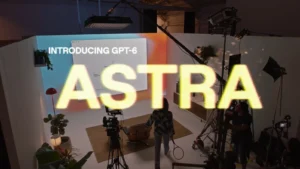
GPT-6 Astra is changing how people can use AI for everyday work. OpenAI released Astra on September 3, 2026, with major improvements in computer use, coding, research, science, and professional workflows. If you want to know how to use GPT-6 Astra, the biggest advantage is its ability to handle multi-step tasks instead of simply generating text.
Quick Answer
You can use GPT-6 Astra for coding, online research, computer tasks, document creation, presentations, spreadsheets, scientific analysis, and software testing. OpenAI says Astra is designed for complex end-to-end work, allowing users to delegate multiple steps while the model works through the task.
What Can You Do With GPT-6 Astra?
Here are 7 practical ways to use it:
- Automate computer tasks — Astra can interact with computer environments, complete forms, update records, organize calendars, and troubleshoot on-screen problems.
- Build and debug software — Developers can use Astra for coding, testing, debugging, and longer software-engineering workflows.
- Research faster — Give Astra a research objective and let it browse, analyze information, and produce a structured summary.
- Create professional documents — Astra can produce polished documents, spreadsheets, presentations, and analyses while following existing templates.
- Create websites — Astra can generate websites and perform frontend checks to identify whether features work correctly.
- Analyze scientific data — Its computer-use capabilities allow it to work with specialized scientific software and inspect research data.
- Build custom projects — Astra can help turn ideas into functional prototypes, including interactive experiences and software projects.
For more free AI tools, visit now: https://freeaitools4u.com/
Is GPT-6 Astra Available Now?
GPT-6 Astra began rolling out on September 3, 2026. OpenAI says availability is expanding to ChatGPT Plus, Pro, Business, and Enterprise users, alongside API and cloud access.
What Makes Astra Different?
The major change is action-oriented AI. Instead of only explaining how something should be done, Astra is designed to perform multi-step computer and professional workflows itself. OpenAI also reports strong results in coding, computer use, reasoning, and long-context tasks.
What Happens Next?
Astra’s rollout will expand as OpenAI makes the model available to more users and developers. Its biggest potential is turning AI from a chatbot into a practical digital worker for complex tasks.
Final Take
If you’re learning how to use GPT-6 Astra, start with simple research, coding, document, or computer tasks before moving to longer automated workflows. Its real advantage is combining reasoning with the ability to actually perform work.
Read More:- Is GTA Online Crossplay? 5 Shocking Truths Gamers Need to Know
FAQs
1. What is GPT-6 Astra?
GPT-6 Astra is OpenAI’s latest flagship AI model, designed for advanced reasoning, coding, computer use, research, science, and professional work.
2. Can GPT-6 Astra use a computer?
Yes. Astra is designed to perform computer-use tasks such as navigating interfaces, completing workflows, and troubleshooting software.
3. Can GPT-6 Astra write code?
Yes. OpenAI describes Astra as its strongest model for software engineering to date.
4. Who can use GPT-6 Astra?
OpenAI says Astra is rolling out to Plus, Pro, Business, and Enterprise users, with API and cloud availability as well.
5. Is GPT-6 Astra good for professional work?
Yes. It is specifically designed for multi-step professional workflows involving documents, spreadsheets, presentations, research, and computer-based tasks.
Pingback: Claude Fable 5.1: 5 Powerful AI Shocks Hit Coding