
How to Use Kling AI: 7 Easy Steps for Beginners (2026)
Kling AI has become one of the go-to tools for turning text or a single photo into a realistic short video, competing directly with Runway, Google Veo, and Sora. Built by Kuaishou, the Chinese short-video giant, Kling has earned a reputation for strong physics simulation and character consistency. Here’s a complete step-by-step guide to getting started.
1. How to Use Kling AI for Free
Head to app.klingai.com and sign up to start on the free tier. New and returning users get a daily allotment of free credits — commonly cited around 66 per day — enough to generate a handful of short, watermarked test clips without paying anything. This is the best way to get a feel for prompt quality before committing to a paid plan.
2. How to Use Kling AI’s Text-to-Video and Image-to-Video Tools
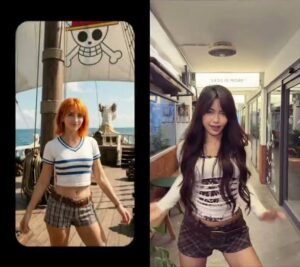
Kling offers two core ways to generate a video. Text-to-video creates a clip entirely from a written prompt, while image-to-video animates a still photo you upload, giving more predictable, controllable results since the model has a visual reference to work from. For product shots, portraits, or any project where consistency matters, starting from an image tends to produce fewer wasted generations than text alone.
3. How to Use Kling AI’s Draft Mode
Before spending full credits on a high-quality render, Kling’s Draft Mode generates quick, lower-cost previews at several times the normal speed. This lets you test and refine a prompt cheaply, then only spend full credits once you’re confident the result will be close to what you want.
4. How to Use Kling AI’s Audio Generation
Since the Kling 2.6 update, the platform can generate synchronized audio directly alongside video in a single pass — including voiceover, dialogue, sound effects, and ambient noise, in both English and Chinese. This removes the extra step of adding audio separately after the fact, though audio generation typically uses more credits than a silent clip.
5. How to Choose the Right Kling AI Model
Kling offers several model tiers suited to different needs. Kling 2.5 Turbo Pro is a solid starting point for social content, product videos, and short marketing clips. Kling 2.6 is the better choice when synchronized audio matters. Kling 3.0, the premium engine, is aimed at filmmakers and agencies who need the highest realism and more advanced multi-shot storytelling.
6. How to Use Kling AI’s API for Developers
Developers can access Kling programmatically through its own API or third-party integrators. API pricing is typically usage-based, charged per second of generated video, and varies depending on model, resolution, and generation speed. This route is aimed at teams building Kling into their own apps or automated video pipelines rather than individual creators using the consumer app.
7. How to Use Kling AI Effectively
A few habits make a real difference in output quality:
- Start with image-to-video when consistency matters more than pure creativity, since a reference image reduces unpredictable results
- Use Draft Mode first to test prompts cheaply before spending full-quality credits
- Keep clips short and specific — Kling performs best on tightly scoped prompts rather than long, complex scene descriptions
- Track your credit usage closely, since Kling’s plans are credit-based rather than unlimited, and usage can add up faster than expected on higher-resolution or audio-included generations
Read More:- GTA 6 Trailer: 5 Wild Details Revealed in Netflix’s Extended Look
Frequently Asked Questions
1.Is Kling AI free to use?
Yes, Kling offers a free tier with a daily credit allotment for short, watermarked test videos, with paid plans available for higher-quality, unwatermarked output.
2.What’s the difference between text-to-video and image-to-video on Kling AI?
Text-to-video generates a clip purely from a written prompt, while image-to-video animates an uploaded photo, generally producing more predictable and consistent results.
3.Can I generate videos with audio on Kling AI?
Yes, since the Kling 2.6 update, audio including voiceover, dialogue, and sound effects can be generated in the same pass as the video.
4.Is there a Kling AI API for developers?
Yes, Kling offers API access for programmatic video generation, priced per second of generated video, with availability through Kling’s own platform and third-party integrators.